Filters
Filters run on actual extracted patch pixels, after the patch is read from the WSI but before transforms are applied. They accept or reject individual patches based on their content.
This is distinct from tissue detection, which runs once per slide on a low-resolution thumbnail. Filters are more expensive (they run per patch) but see the actual pixel content at the sampled resolution.
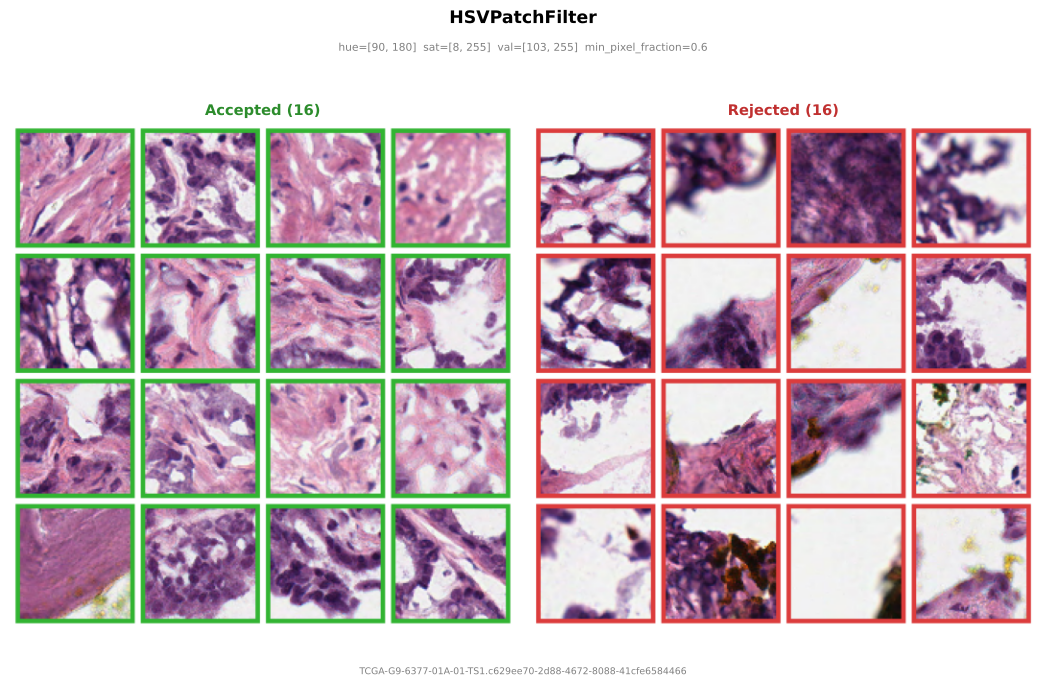
HSVPatchFilter
Per-tile HSV pixel filter matching Midnight's tile acceptance criterion (Karasikov et al., 2025). A patch is accepted only if at least min_pixel_fraction of its pixels fall within the specified HSV ranges.
Midnight uses this to reject tiles with mostly adipose tissue, background, or other low-informative content that passed the coarse tissue detection.
from wsistream.filters import HSVPatchFilter

patch_filter = HSVPatchFilter(
    hue_range=(90, 180),       # hue range (0-180 in OpenCV)
    sat_range=(8, 255),        # saturation range (0-255)
    val_range=(103, 255),      # value range (0-255)
    min_pixel_fraction=0.6,    # >=60% of pixels must pass
)
Use it in the pipeline:
Rejected patches count toward the patches_per_slide budget but are not yielded. The pipeline moves to the next candidate coordinate.
Writing your own
import cv2
import numpy as np
from wsistream.filters.base import PatchFilter

class BlurFilter(PatchFilter):
    """Reject blurry patches using Laplacian variance."""

    def __init__(self, threshold: float = 100.0):
        self.threshold = threshold

    def accept(self, patch: np.ndarray) -> bool:
        gray = cv2.cvtColor(patch, cv2.COLOR_RGB2GRAY)
        return cv2.Laplacian(gray, cv2.CV_64F).var() > self.threshold